


Most marketing directors know their stack has waste in it. There is a tool that was supposed to replace something else but ended up running alongside it. A platform bought at a previous company that nobody has questioned since. A reporting tool that three people log into once a quarter. The question is never whether the waste is there. It is how to identify it precisely, how to decide what is safe to cut versus what is load-bearing, and how to sequence the cuts without disrupting the automations and workflows that are actually running.
This post gives you a practical Martech Stack Rationalisation framework to identify waste, reduce costs, and eliminate redundant marketing technology without disrupting critical operations. It covers the four types of martech waste, a 15-question self-assessment checklist you can run against your current stack, the cut versus consolidate decision framework, and How to Sequence Martech Stack Rationalisation Safely. It is the detailed treatment of the redundant capabilities gap identified in the capability-led planning methodology — if you have not run a gap analysis yet, start there.
The Four Types of Martech Waste
Not all waste looks the same. Understanding which type you are dealing with determines how you handle it — the approach to cutting a duplicate tool is different from retiring a zombie integration or downgrading an over-tiered subscription.
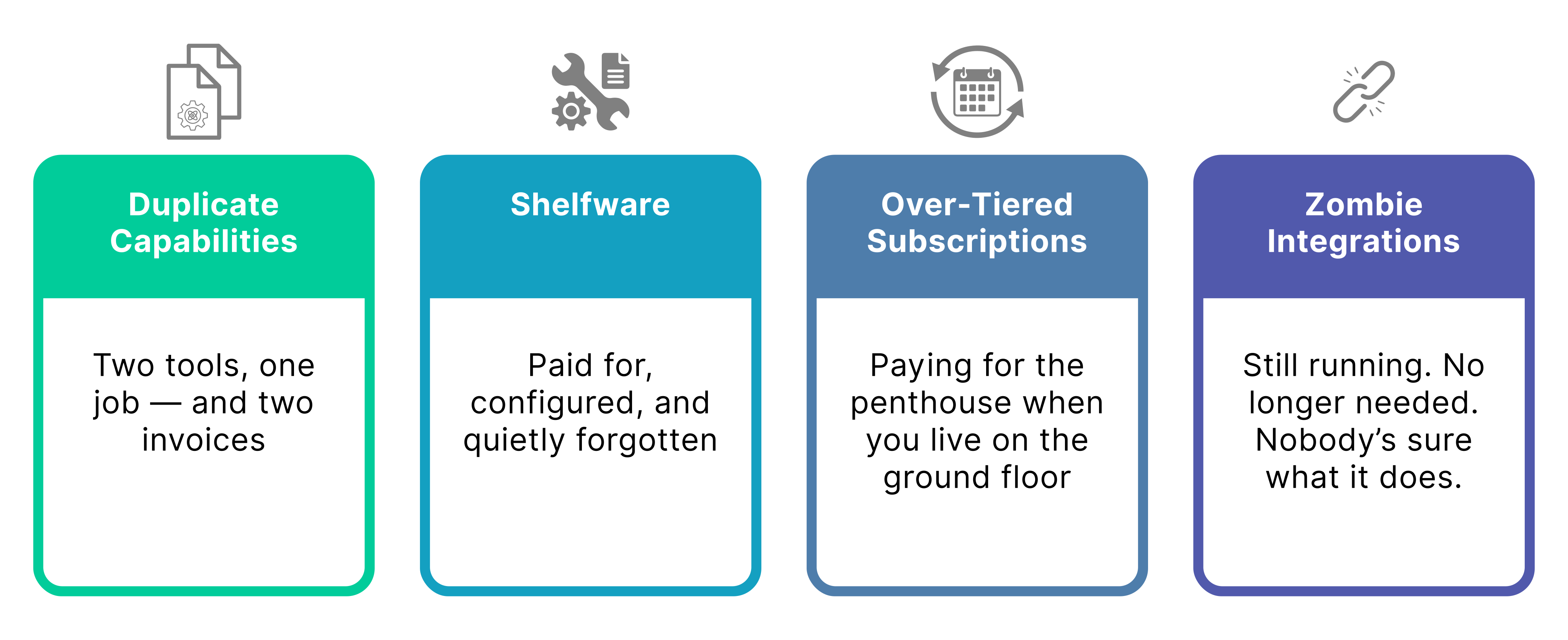
| Waste type | What it looks like | How to identify it | The real cost |
| Duplicate capabilities | Two or more tools doing the same job. Email in both the MAP and a separate broadcast tool. CRM contact records in both the marketing platform and the sales CRM with no clear master. | List the primary function of each tool. Where the same function appears more than once, you have duplication. Check which one is actually used for that function day-to-day. | Fragmented data across two systems. Inconsistent records. Integration maintenance to keep them in sync. Confusion about which is the source of truth. |
| Shelfware | Tools that are paid for but largely unused. A platform bought for a use case that was never implemented. A feature tier purchased for capabilities that nobody has configured. | Pull login data for the last 90 days. Tools with fewer than 20% of licensed users active, or features with zero usage, are shelfware candidates. Ask the team: what would break if this was switched off tomorrow? | Sunk cost fallacy keeps it on the books. The real cost is not just the licence fee — it is the integration maintenance and the mental overhead of a tool nobody owns. |
| Over-tiered subscriptions | Paying for a platform tier that includes capabilities you are not using and are not likely to use within 12 months. The advanced analytics module. The AI features on a plan you upgraded to two years ago. | Map your actual usage against the features included in your current tier. Identify which tier would cover everything you actually use. The gap is the over-tier cost. | Directly quantifiable — the price difference between your current tier and the tier that covers your actual usage. Often £200–£1,500/month per platform for SMBs. |
| Zombie integrations | Connections between tools that are technically live but no longer serve their original purpose. A Zapier flow that was built to compensate for a problem that was later solved natively. An API integration maintained by an engineer who has since left. | Audit every active integration. For each one: what was it built to do, is that still required, and is the native capability it was compensating for now available? If nobody can answer those questions confidently, it is likely a zombie. | Engineering time maintaining integrations that should not exist. Fragility risk — zombie integrations break quietly. Data quality issues from flows that are no longer fit for purpose but still running. |
The 15-Question Self-Assessment Checklist
Effective Martech Stack Rationalisation starts with a structured assessment. Run every tool in your stack against these questions. You do not need to answer all fifteen for every tool — the first five will surface the obvious candidates quickly. The remaining questions are for tools where the initial answers are ambiguous.
Be honest. The value of this exercise is in surfacing real waste, not in confirming that the decisions made previously were correct.
Question | What a yes tells you |
Does more than one tool in the stack perform this function? | Probable duplication. Map which one is actually used and which is the shadow system. |
When did someone last log into this tool with intent — not to check a notification, but to actually use it? | If the honest answer is more than 60 days ago, it is a shelfware candidate. |
If this tool was switched off tomorrow, what would break? | If the answer is nothing, or nobody knows, it should be on the cut list. |
Does the team trust the data that comes out of this tool? | Distrust of a tool’s output is a strong signal that it is either misconfigured or redundant — in either case, it is not delivering value. |
Is this tool integrated with anything else in the stack? | Yes is not automatically good. Map what the integration does and whether it is still necessary. |
Is the integration native or built on iPaaS / custom code? | Non-native integrations have maintenance cost. If the tool is borderline, the integration overhead should be factored into the cut decision. |
Are you paying for a tier that includes features you have not used in the last 12 months? | Identify the lowest tier that covers actual usage. The difference is recoverable spend. |
Was this tool bought to solve a problem that has since been solved another way? | Common after platform upgrades. The new platform solved the problem natively; the old point solution stayed on the invoice. |
Does this tool have a clear owner in the marketing team? | Ownerless tools are high-risk — nobody is monitoring them, nobody will notice when they break, and nobody will advocate for keeping them if they are challenged. |
Is the data this tool holds accessible anywhere else in the stack? | If yes, the tool is not the only record of that data and cutting it is lower risk than it appears. |
Has this tool been reviewed in the last 12 months? | Tools that have not been reviewed tend to persist by default. The absence of a review is itself a signal. |
Is the contract rolling monthly or fixed term? | Fixed-term contracts should be flagged for review at renewal rather than cut mid-term unless the cost of continuing outweighs the exit penalty. |
Does this tool create data that feeds into any other tool in the stack? | If yes, cutting it has downstream consequences. Map those consequences before making the cut decision. |
Is anyone on the team actively building new use cases in this tool? | Active development is a strong signal to keep. Absence of active development — especially in a tool that has been in the stack more than 18 months — is a signal to question. |
Could the function this tool performs be covered by a tool already in the stack with configuration or a minor plan upgrade? | This is the consolidate question. If yes, cutting and consolidating is almost always better than keeping the redundant tool. |
This scoring approach helps prioritise Martech Stack Rationalisation efforts and prevents teams from focusing only on licence costs while ignoring operational risk. across questions 1–8 is a strong cut or consolidate candidate. A tool that triggers yes on question 13 (it feeds downstream data) requires careful sequencing before it can be removed — see Section 4.
Martech Stack Rationalisation: The Cut vs Consolidate Decision Framework
Not everything that should go should be cut. Sometimes the right move is to consolidate two tools into one, downgrade a tier rather than exit entirely, or migrate a function to a platform already in the stack. The decision depends on four factors: whether the capability is still needed, whether it is available elsewhere in the stack, what the migration cost is, and what the integration risk is.
Scenario | Cut | Consolidate | Keep for now |
Duplicate tool — both doing the same job | Cut the one with lower usage, worse data quality, or higher integration overhead. Migrate any unique data before cutting. | If one platform can absorb the function with a plan upgrade that costs less than both licences combined. | If both tools are actively used by different teams with no agreed migration path yet. |
Shelfware — paid for, not used | Cut if the use case it was bought for is no longer relevant or is covered elsewhere. | Rarely the right answer for true shelfware — if nobody is using it, consolidating it into something else just moves the problem. | If there is a credible plan to activate it within 90 days. If not, cut it. |
Over-tiered subscription | Downgrade to the tier that covers actual usage. This is a cost reduction, not a capability reduction. | Not applicable — this is a tier decision, not a tool decision. | If you are within 60 days of a use case that requires the higher tier features. Otherwise downgrade. |
Zombie integration | Retire the integration if the data flow is no longer needed or is now handled natively. | Replace with a native integration if the data flow is still needed but the current implementation is fragile. | If you cannot establish with confidence what the integration is doing. Map it first, then decide. |
Tool with downstream data dependencies | Only after migrating the data and rebuilding the downstream dependencies elsewhere. | Often the right answer — migrate the function to a platform already in the stack and retire the standalone tool. | Until the migration is planned and resourced. Cutting prematurely is the most common rationalisation failure mode. |
How to Sequence Rationalisation Safely
The most common failure mode in stack rationalisation is cutting too fast. A tool is identified as redundant, the licence is cancelled, and two weeks later an automation stops working because the tool was providing a data input that nobody had mapped. The fix costs more in engineering time than the licence saving.
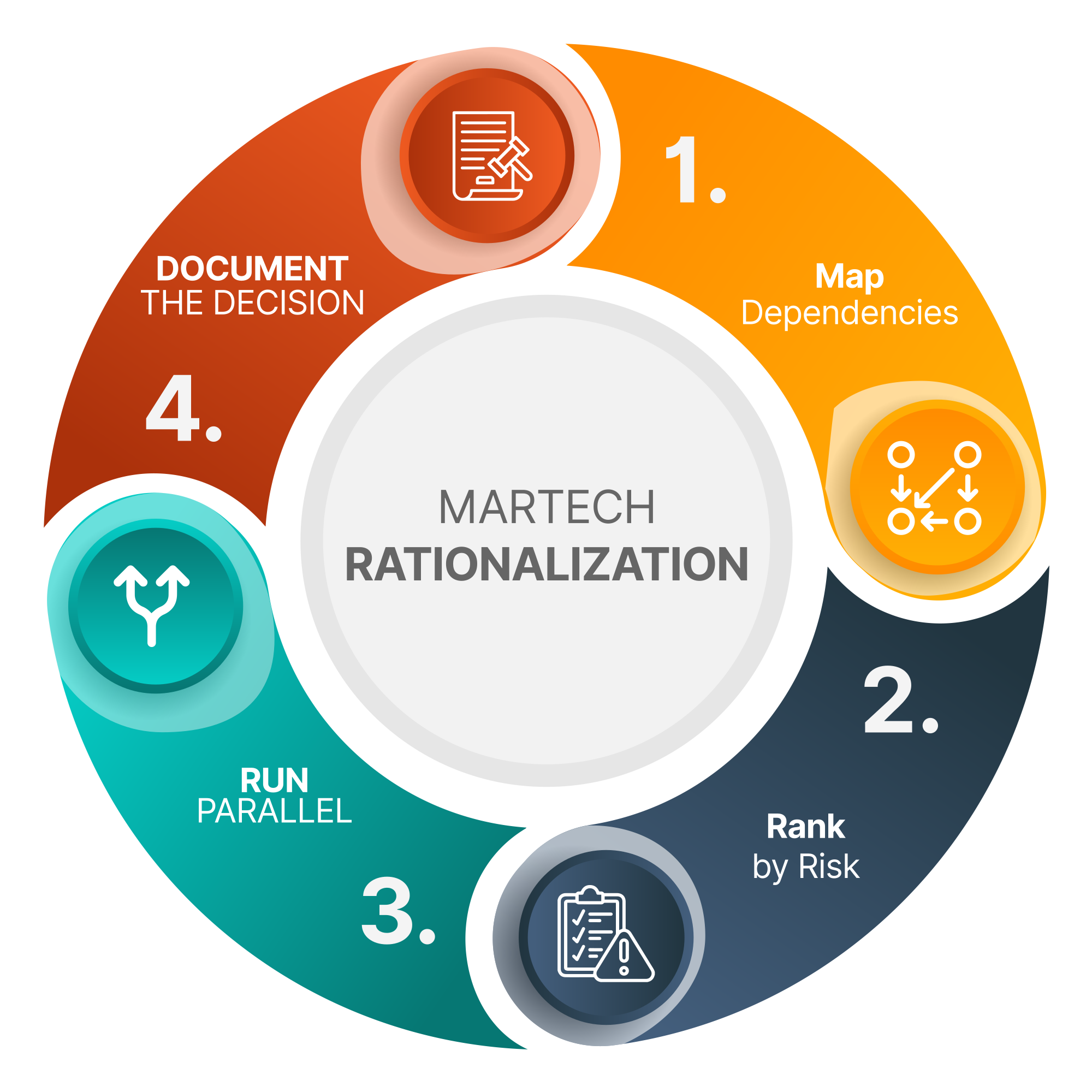
Step 1: Map dependencies before cutting anything
One of the biggest risks in Martech Stack Rationalisation is removing tools before their dependencies are fully understood, document: what data does it hold that exists nowhere else, what does it feed into, and what feeds into it. This does not need to be exhaustive — a one-page diagram per tool is sufficient. The goal is to surface hidden dependencies before they become incidents. The Data Layer Audit is useful here for any tool that touches contact data, behavioural signals, or transactional history — it provides the framework for assessing what data a tool holds and whether that data is available elsewhere in the stack.
Step 2: Cut in order of risk, not order of cost saving
The temptation is to cut the most expensive redundant tool first. The right approach is to cut the lowest-risk tool first, bank the saving, and use the confidence from a clean cut to move to higher-risk tools. The order should be: tools with no downstream dependencies first, tools with dependencies that are easily migrated second, tools with complex dependencies last.
Step 3: Run a parallel period before full retirement
For any tool that holds data or powers integrations, run a parallel period of 30 days after migration before retiring the original. This means the new setup is live and the old one is still running. It costs one additional month of licence but eliminates the risk of a silent failure in the migration.
Step 4: Document what was cut and why
Rationalisation decisions fade from institutional memory quickly. The tool that was cut for good reasons eighteen months ago gets re-purchased by a new team member who does not know it was already tried. A one-paragraph decision record per tool — what it did, why it was cut, what replaced it — costs almost nothing and prevents repeat mistakes.
How Martech Stack Rationalisation Funds Your Technology Roadmap
The freed budget from rationalisation is not a saving to return to the business. It is the funding mechanism for the capability gaps identified in the gap analysis. This is the commercial logic of doing rationalisation before new tool investment: you are not adding to the stack budget, you are reallocating it from tools that are not delivering to capabilities that are missing.
A typical SMB rationalisation exercise recovers £500–2,500 per month in wasted licence fees, integration costs, and over-tiered subscriptions. That is the budget for a platform tier upgrade that enables lead scoring, or the integration build that connects transactional data to the marketing platform, or the consultancy engagement that maps the reference architecture properly.
The sequence matters: gap analysis first (what is missing), rationalisation second (what is wasted), reinvestment third (close the gaps with the recovered budget). Rationalisation done without a gap analysis just reduces spend without improving capability. Gap analysis done without rationalisation produces a roadmap with no funding mechanism.
For the full methodology — including how gap analysis, rationalisation, and roadmap sequencing fit together — the capability-led planning guide covers the complete process end to end. If the primary gap identified is AI readiness rather than automation capability, the AI Strategy and Readiness Assessment is the more focused starting point.
What to do next
Run the 15-question checklist against every tool in your current stack. Be specific about what you find — “we probably have some duplication” is not actionable. “We are paying for two platforms that both send email, the secondary one has 12 active users out of 80 licensed, and it is connected to the primary via a Zapier flow that was built to compensate for a sync problem that was fixed six months ago” is.
If the checklist surfaces three or more strong cut candidates, you have a rationalisation project. If it surfaces one or two obvious cuts but the picture is otherwise unclear, the constraint is usually the gap analysis — you need a clearer view of what the stack needs to do before you can confidently decide what to remove.
Our Martech Stack Planning service runs the full process: audit, capability mapping, gap analysis, rationalisation, reference architecture, and a sequenced roadmap. The rationalisation savings typically offset a significant proportion of the engagement cost within the first six months. If you want to start with a conversation about your current stack, a discovery call is the right first step.


